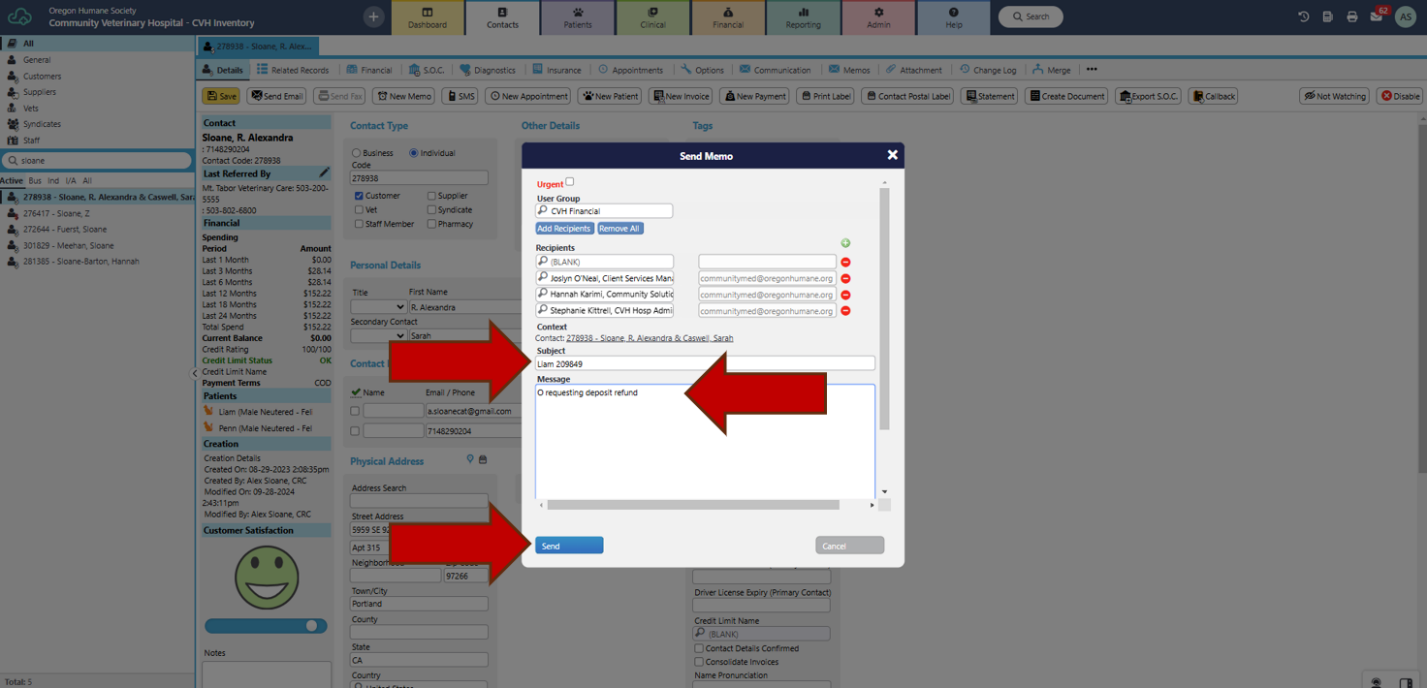

Send a memo when the subject is the patient
Last updated: Feb 03, 2025
167
views

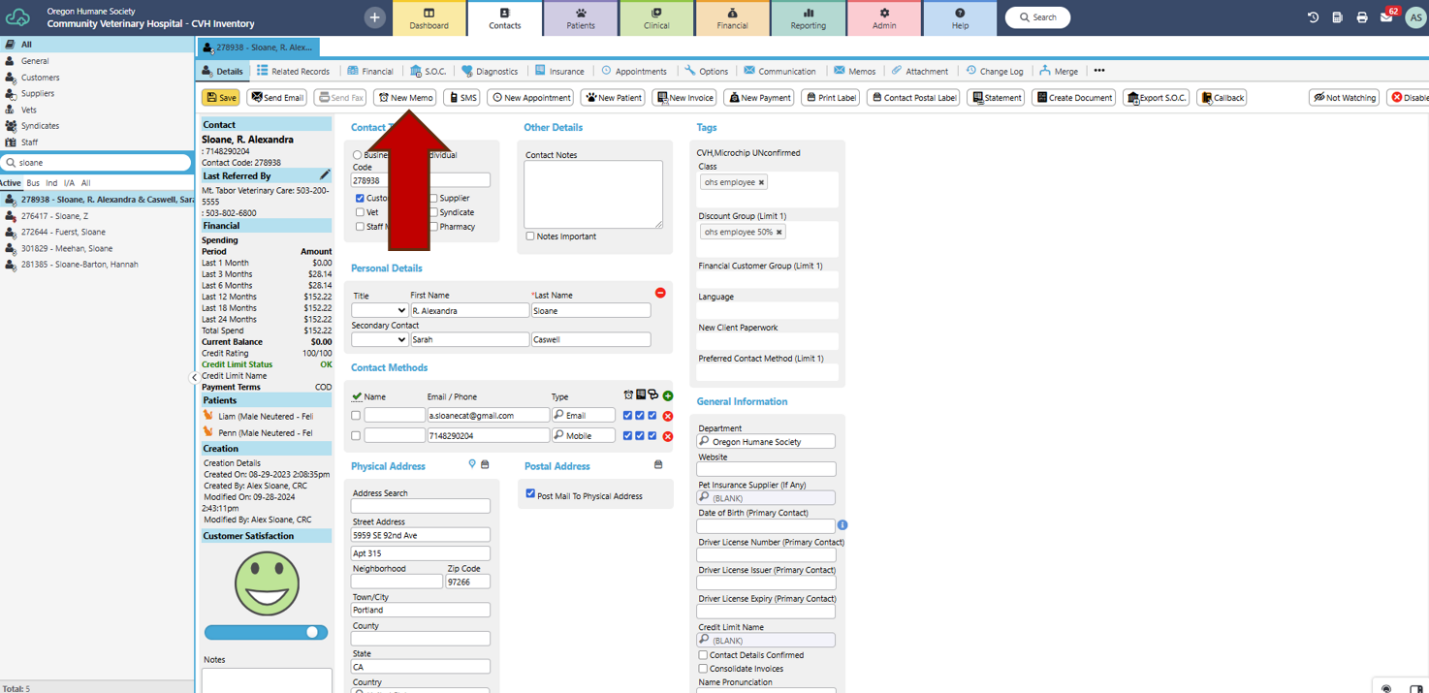
- Select “New Memo” from client profile.
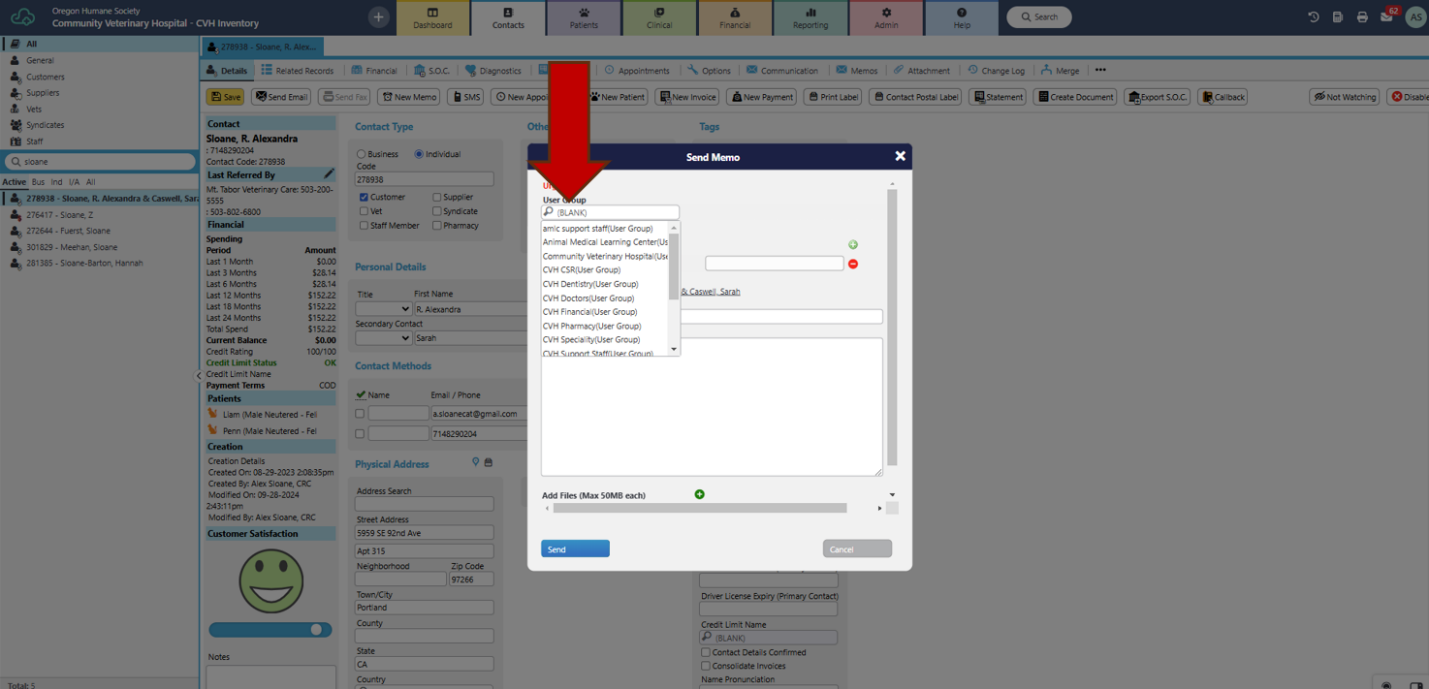
- Select “User Group” from drop-down menu and “Add Recipients”.
- Enter patient name and ID in “Subject” field.
- Enter message in “Message” field.
- Send.